







Business process automation

We remove repetitive manual steps and connect your systems into one working process.

AI agentsChatbotsCRMAnalyticsSalesAutomation

What we automate

Repetitive processes shouldn’t depend on manual work

All solutions

Leads & inquiries

Capture, qualify,route

CRM & data

Sync, update,clean

Communications

WhatsApp, Telegram,email, Instagram

Customer service

FAQs, support,escalations

Documents

Generate, process,store

Reporting

Dashboards, analytics,AI summaries

Before and after

From a manual process to an automated one

Same process, two different results

Now
  1. Inquiry
  2. WhatsApp
  3. Manager
  4. Manual copy
  5. CRM
  6. Follow-up
  7. Spreadsheet
With FlowFleek
  1. Inquiry
  2. AI qualification
  3. CRM
  4. Assignment
  5. Follow-up
  6. Reporting

Why FlowFleek

Process first. Technology second

We first look at how the process works and where time is lost. Only then do we choose the technology.

Business first

The business task comes before the tool

No unnecessary automation

Only what saves real time

Built to run

Logs, alerts and a fallback for every step

You own the system

Your accounts, your data, documentation

Case studies

What changes after automation

Bright dance studio with a laptop and phone showing the DanceProof app

Flagship project

DanceProof: from idea to a live platform

Dance events in Cyprus and Greece were scattered across Instagram and studio websites. We built the whole platform: an app for dancers, a CRM for studios, a website, and automations that run the feed, moderation, notifications and content without manual work.

App
Events and courses feed, push notifications, search by style and city
Studio CRM
Owner dashboard, schedule, classes, weekly report
Website
Public events feed and studio sign-in
Automation
Moderation, translation, AI covers, archive, backups, monitoring, social content
  • 30+automations running
  • 1 000+events listed
  • 2countries · 3 languages → one English

Open DanceProof
Villa with an infinity pool above the sea

AI sales agent

An AI salesperson that replies in a minute

Leads came in through 11 channels and managers couldn't keep up, especially at night. Now an AI agent replies in the client's language, qualifies by budget and urgency, and hands the manager a ready CRM card and a VIP alert.

  • 46 secaverage reply to a lead
  • 11 channelsin one flow
  • 4 languagesEN · EL · RU · HE
Café counter with an espresso machine

Integrations

Delivery orders straight to POS

A café re-typed every delivery-app order into its POS by hand. Now orders land in the till automatically, with full contents and exact totals.

  • 0manual order entry
  • Exactreceipt matches the order
  • 24/7monitoring and failure alerts
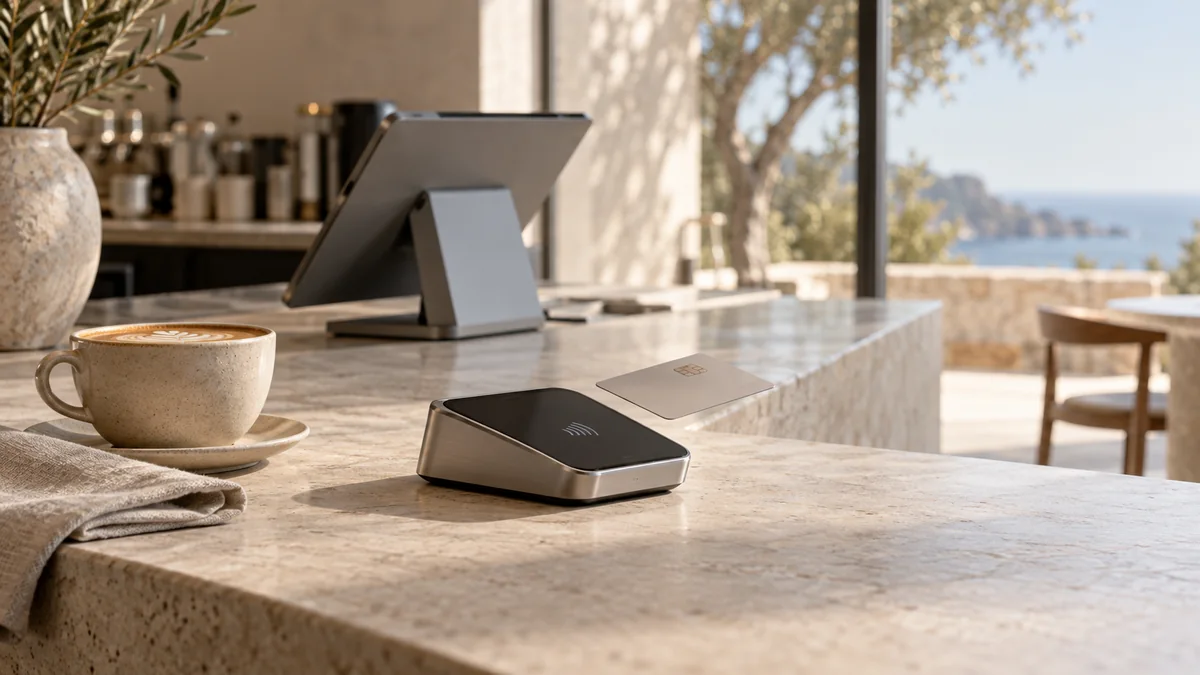
Card terminal on a café counter

Payments

Card payments, zero manual entry

Cashiers typed every amount into the card terminal by hand, which led to typos and receipts closed without payment. Now the amount goes from the POS to the terminal, and the receipt closes only after the bank confirms.

  • 0manual amount entry
  • 1charge per payment, no doubles
  • Dailypayment reconciliation

How we work

From audit to launch

Learn more
  1. 01

    Audit

    Process and systems review

  2. 02

    Map

    Process and data flow

  3. 03

    Prioritize

    Impact versus effort

  4. 04

    Design

    Solution architecture

  5. 05

    Build

    Integrations and workflows

  6. 06

    Test

    Edge cases and failures

  7. 07

    Launch

    Going live

  8. 08

    Optimize

    Monitoring and improvements

Technology

We work with your stack

AI & agents
  • Claude
  • OpenAI
  • LangGraph
  • ElevenLabs
Orchestration
  • Make
  • n8n
  • Webhooks
  • REST API
Data & backend
  • Supabase
  • Python
  • FastAPI
  • Railway
CRM & sales
  • HubSpot
  • Pipedrive
  • Airtable
  • Notion
Channels
  • WhatsApp
  • Telegram
  • Instagram
  • Email
Payments & services
  • Stripe
  • Shopify
  • Slack
  • Google Workspace

Don’t see your system? Let’s discuss

Automation audit

First, we look at the process

We show what is worth automating and what is better left as it is.

Process map

How work flows today

Automation opportunities

Where manual steps can go

Priority list

Ranked by impact and effort

Implementation roadmap

What to do first

Sometimes the best audit result is to automate nothing.

Request an audit

Questions

Frequently asked questions

Didn’t find your answer? Write to us.

How much does automation cost?

It depends on the process, not on the number of bots. After a short audit you get a fixed price for a clearly defined scope.

How long does a project take?

A single process usually takes 2–4 weeks. Larger systems are launched in stages.

What companies do you work with?

Small and medium businesses where clients write in messengers and the team spends time on routine.

Do we need our own developers?

No. We design, build and support the system. Your team simply uses it.

Can we automate just part of a process?

Yes. We often start with one process and expand from there.

Do you work with our CRM?

Most likely yes, if it has an API. We don’t ask you to switch tools without a reason.

What happens if the automation stops working?

Every step has logs and alerts. If something fails, the request isn’t lost: it goes to a fallback path and we are notified.

What happens after launch?

We monitor the system, fix issues and make changes on a monthly support plan.

Who owns the accounts, data and the system?

You do. The system runs in your accounts, and you receive access and documentation.

Start today

Tell us how your process works today

We’ll look at which repetitive steps can be taken out of manual work and where it makes sense to start.